Conversion Rate Calculator
Your store is a story in motion, see how it unfolds.
- Profit and Loss Calculator
- Profit Margin Calculator
- Markup Calculator
- Break-Even Calculator
- Pricing Calculator
- Average Order Value (AOV) Calculator
- Conversion Rate Calculator
- Customer Acquisition Cost Calculator
- Inventory Turnover Calculator
- Reorder Point Calculator
- Cash Flow Calculator
- Marketplace Fee Calculator
Convert Insight Into Strategy, Not Just Sales
Most tools show you numbers—but they rarely show what those numbers mean for your business. The sales conversion rate calculator goes beyond tracking conversions, linking your sales performance to real-world outcomes so you can make smarter choices that increase revenue, safeguard margins, and use resources efficiently.
Expand your store’s potential by knowing the following:
- Identify which actions deliver the highest return on investment
- Align marketing, pricing, and product decisions with actual sales impact
- Transform complex visitor data into a clear plan for growth
For businesses operating online, in stores, or across multiple channels, this tool turns raw metrics into strategic insights, helping you prioritize efforts, allocate resources, and maximize results.
Let the sales conversion rate calculator guide your choices so you can move beyond surface-level metrics and make every decision drive real growth.
How to Use This Calculator
- Enter Total Visitors – Number of people visiting your site or store.
- Enter Completed Orders – Total purchases made.
- Enter Checkout Starts – Number of visitors who initiated checkout.
- Enter Total Revenue – Income generated from sales.
- Enter Target Revenue – Desired revenue goal for planning purposes.
- Click “Calculate” to see revenue per visitor, conversion rate, checkout efficiency, funnel drop-off, page performance, and required traffic for your goals.
What the Results Mean
- Revenue per Visitor (RPV) – Average revenue generated by each visitor. Higher values indicate more profitable traffic.
- Checkout Efficiency – Percentage of visitors who complete a purchase after starting checkout. Measures friction in your sales funnel.
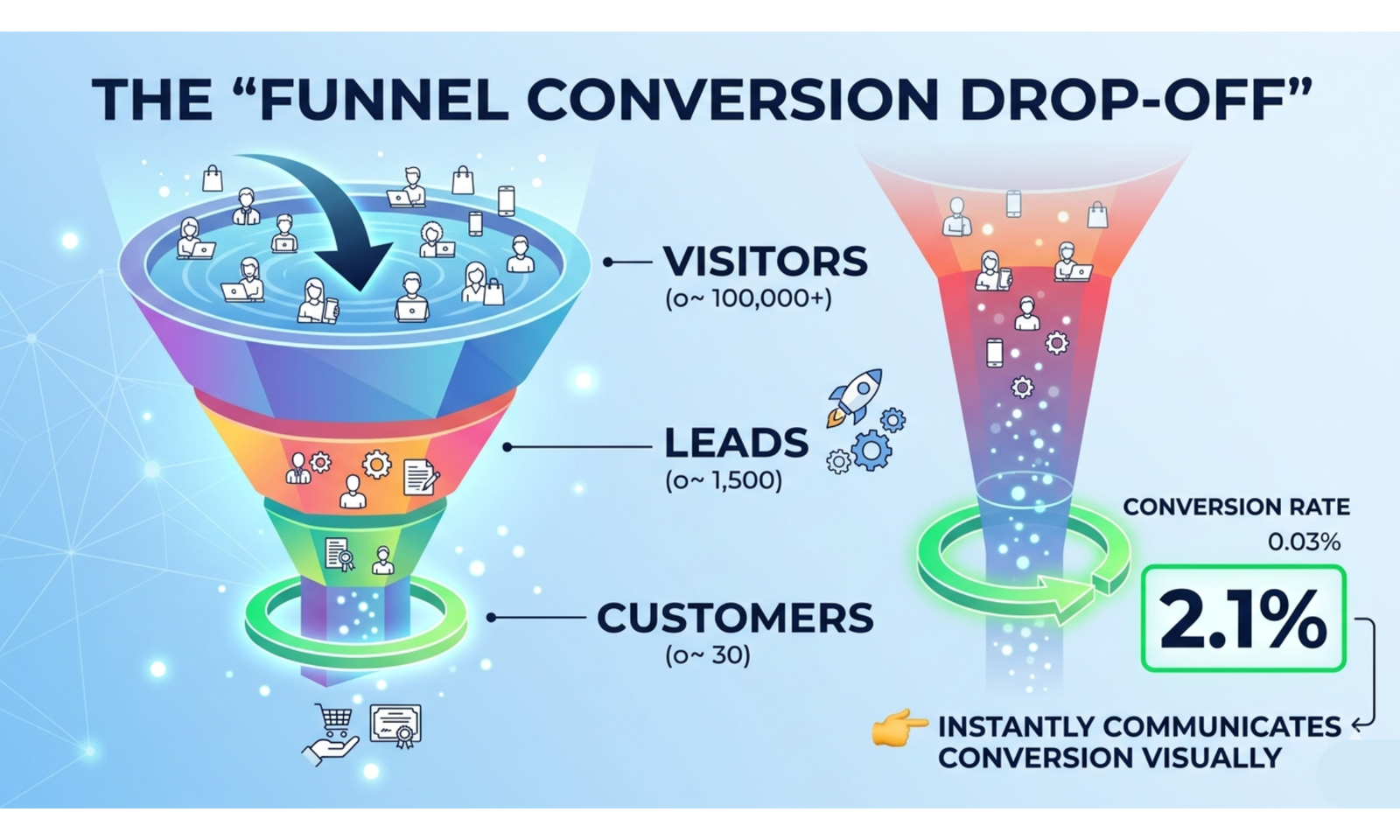
- Funnel Drop-Off – Percentage of visitors who leave before completing a purchase. Lower values indicate better conversion.
- Required Traffic for Target Revenue – How many visitors you need to reach your revenue goals based on current performance.
- Page Performance Score – Overall efficiency of your conversion funnel, combining conversion rate and checkout effectiveness.
Why Knowing Your Sales Conversion Rate Matters
- Identifies bottlenecks in your sales funnel to reduce drop-offs.
- Helps optimize marketing campaigns and improve ROI.
- Informs website or store improvements for better user experience.
- Guides realistic goal-setting for revenue and traffic planning.
A Simple Example
- Total Visitors: 20,000
- Completed Orders: 600
- Checkout Starts: 900
- Total Revenue: $42,000
Conversion Rate = (600 ÷ 20,000) × 100 = 3%
Revenue per Visitor (RPV) = $42,000 ÷ 20,000 = $2.10
Checkout Efficiency = (600 ÷ 900) × 100 = 66.7%
Funnel Drop-Off = 100 − 3 = 97%
To reach a target revenue of $100,000, the required traffic is approximately 47,619 visitors based on current RPV. This example highlights where improvements in conversion and checkout efficiency can significantly boost revenue.
Sales Conversion Rate Calculator – FAQs
1. Can I measure conversion rate for different stages of the sales funnel?
Yes. Calculate stage-by-stage conversion: e.g., visitor → lead → opportunity → customer, to pinpoint bottlenecks.
2. How can I adjust for recurring customers in conversion rate calculations?
Separate first-time vs returning customers, or calculate net new conversions to avoid inflating the metric.
3. How do I factor in time-based changes (seasonality, campaigns)?
Measure conversions over specific periods (daily, weekly, monthly) and compare to traffic trends to identify spikes or drops.
4. Can I include micro-conversions in my rate calculation?
Yes, track actions like newsletter signups, demo requests, or add-to-cart as micro-conversions to get deeper insights into engagement.
5. How can I calculate conversion rate for multiple products or categories?
Track conversions for each product or category individually to identify high-performing and underperforming items.
6. How do I use A/B testing data in conversion rate calculations?
Compare the conversion rates of two variations to measure which changes in design, messaging, or pricing improve performance.
7. How can I adjust for traffic quality or lead scoring?
Segment visitors by lead quality or intent and calculate separate conversion rates to focus on high-value prospects.
8. How do I calculate conversion rate for multi-step forms or checkout processes?
Measure conversions at each step to detect where users drop off, then calculate overall completion rate.
9. How can I link conversion rate to revenue performance?
Multiply the conversion rate by average order value or deal size to measure the actual revenue impact of conversions.
10. How do I normalize conversion rates across different devices or platforms?
Track device-specific conversions and calculate rates per platform (desktop, mobile, app) for better optimization.
11. How do I account for repeat visits or cross-device interactions?
Use unique visitor identifiers to avoid counting the same person multiple times, ensuring accurate conversion metrics.
12. How can I use conversion rate to forecast sales?
Combine conversion rate with traffic forecasts and average order value to predict future revenue.
13. How can I identify underperforming traffic segments?
Compare conversion rates across traffic sources, campaigns, and user demographics to optimize marketing spend.