Reorder Point Calculator
Every corner of your store has potential, Uncover it.
- Profit and Loss Calculator
- Profit Margin Calculator
- Markup Calculator
- Break-Even Calculator
- Pricing Calculator
- Average Order Value (AOV) Calculator
- Conversion Rate Calculator
- Customer Acquisition Cost Calculator
- Inventory Turnover Calculator
- Cash Flow Calculator
- Marketplace Fee Calculator
- Sales Conversion Rate Calculator
Never Run Out of Stock—or Tie Up Capital
Inventory missteps can cost your busineRunning out of stock or tying up too much capital can hurt your business. The reorder point calculator helps you know exactly when to restock, so you can maintain optimal inventory without overinvesting.
Here’s what you can do with it:
- Determine precise reorder points, safety stock levels, and demand forecasts
- Keep inventory balanced to prevent stockouts while freeing up working capital
- Make proactive purchasing decisions instead of reacting to shortages
Whether you oversee a warehouse, retail store, or online business, this tool makes inventory planning simple, helping you maintain the right stock levels and keep operations running efficiently.
The reorder point calculator ensures your shelves stay stocked, your cash remains available, and your supply chain supports business growth.
How to Use This Calculator
- Enter Current Inventory – The number of units currently in stock.
- Enter Average Daily Demand – How many units sell per day on average.
- Enter Lead Time (days) – Time it takes for a new order to arrive.
- Enter Forecast Period (days) – Number of days you want to project demand for.
- Enter Risk Factor (0–2) – Adjusts safety stock for uncertainty or supply variability.
- Enter Buffer Factor (0–2) – Adds extra stock to cover unexpected spikes.
- Click “Calculate” to see your reorder point, safety stock, forecast demand, supply chain buffer, and stockout risk.
What the Results Mean
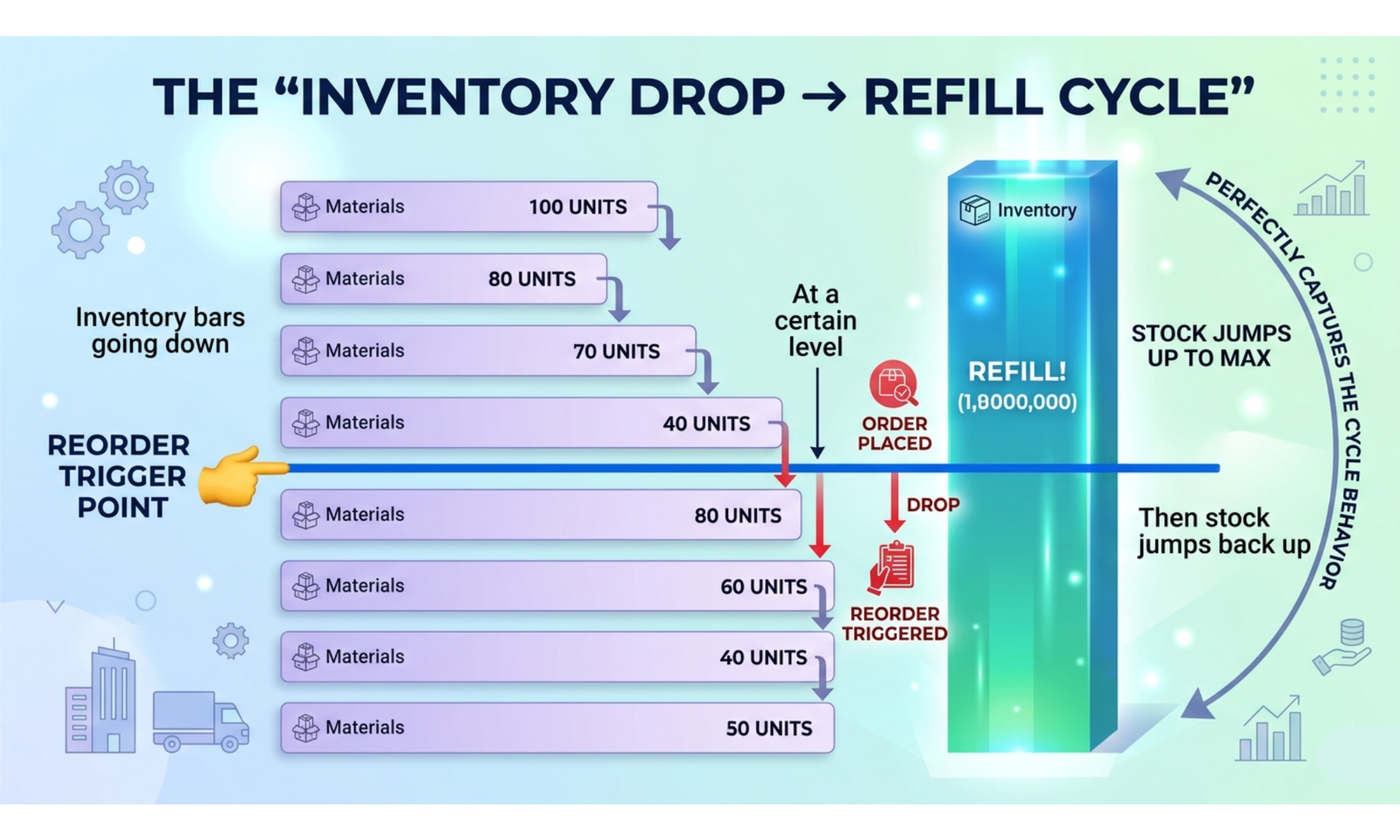
- Reorder Point (ROP) – The inventory level at which a new order should be placed. Helps prevent stockouts.
- Stockout Risk – The probability of running out of stock before replenishment arrives. Lower percentages are better.
- Safety Stock Level – Extra units kept to cover demand variability or delays in supply.
- Demand Forecasting – Predicted units needed over the forecast period. Guides ordering decisions.
- Supply Chain Buffer – Additional stock to absorb unexpected delays or demand spikes.
Why Knowing Your Reorder Point Matters
- Avoid costly stockouts that can disrupt sales and customer satisfaction.
- Prevent overstocking that ties up capital and increases storage costs.
- Improve cash flow management by ordering the right amount at the right time.
- Enhance supply chain reliability and forecasting accuracy.
A Simple Example
- Current Inventory: 500 units
- Average Daily Demand: 50 units
- Lead Time: 7 days
- Risk Factor: 1.2
Safety Stock = 50 × 7 × 1.2 = 420 units
Reorder Point = (50 × 7) + 420 = 770 units
This means the business should place a new order when inventory drops to 770 units, ensuring stock remains available while covering potential demand spikes or supply delays.
FAQs for Reorder Point Calculator
1. How can I calculate reorder points for products with variable demand?
Use average daily sales and standard deviation of demand to account for fluctuations, ensuring stock availability without overstocking.
2. How do I factor in lead time variability?
Include minimum and maximum supplier lead times or average lead time to calculate a reorder point that accommodates delays and avoids stockouts.
3. Can I set different safety stock levels for high-priority items?
Yes, adjust safety stock for critical SKUs based on sales velocity or service-level targets to ensure availability of key products.
4. How can I determine reorder points for seasonal products?
Increase the reorder point during peak seasons by using forecasted daily demand or historical seasonal sales data.
5. How do I incorporate multiple suppliers with different lead times?
Calculate separate reorder points per supplier and adjust order quantities based on reliability, lead time, and cost.
6. How can I optimize inventory to reduce holding costs?
By calculating precise reorder points and maintaining minimal safety stock, you can reduce cash tied up in inventory while avoiding stockouts.
7. How can I integrate reorder points with Just-In-Time (JIT) inventory systems?
Use the calculator to determine the exact inventory level to trigger orders, enabling JIT replenishment while preventing delays.
8. How can I calculate reorder points for multi-location warehouses?
Adjust reorder points per location based on local sales velocity and lead times, ensuring each warehouse maintains optimal stock levels.
9. How can I account for bulk ordering discounts in reorder calculations?
Factor in EOQ (Economic Order Quantity) alongside reorder points to balance cost savings from bulk orders with inventory carrying costs.
10. How can I assess the risk of stockouts?
Use the reorder point calculator with safety stock levels to maintain a target service level and minimize lost sales or backorders.
11. How do I update reorder points in response to changing demand trends?
Regularly input new sales data and updated lead times to recalculate reorder points, keeping inventory aligned with market demand.
12. How can I calculate reorder points for products with slow turnover?
Set lower reorder points and safety stock levels for slow-moving items to prevent overstock while maintaining availability.
13. How do I determine reorder points for perishable goods?
Include shelf life and lead time to ensure stock is replenished before expiration, avoiding spoilage and waste.
14. How can I integrate reorder point data with automated ordering systems?
Feed the calculated reorder points into inventory management software to trigger automatic purchase orders when stock levels reach the threshold.
15. How can I simulate different inventory policies using reorder points?
Test scenarios with varied safety stock, lead times, or demand variability to find the optimal reorder point strategy for your business.